From 0 to AWS Cloud Practitioner in 1 Easy Project
AWS Cloud Practitioner • Project-Based Training
AWS Cloud Practitioner Project 1 teaches you the core AWS concepts by actually building a cloud-hosted WordPress on EC2 with a RDS MySQL database. Learn while building your cloud portfolio.
Designed for beginners (no prior cloud experience needed)
Comes with AWS Certified Cloud Practitioner (CCP) Exam & Hands-on 2 in 1
Book covers 100% of AWS Cloud Practitioner exam domains +300 Q&A
1x FEE for Lifetime access to recordings, templates, and cheat sheets.
Project 1: WordPress on EC2 w/ RDS
Step by step breakdown of all primary features you need to know for AWS fundamentals:
- EC2
- RDS
- Security Groups
Also cover S3 and IAM Perfect for your resume.
1 week
Self-paced with support
Beginner-friendly
No AWS experience
Why this course
Built for busy students who want proof, not just theory.
Most AWS Cloud Practitioner resources focus on memorizing services. ConvoCourses BOOSTS that: you learn by building.
By the end, you’ll be ready for the AWS Certified Cloud Practitioner exam and have a concrete project you can walk through in internships, and interviews.
Beginner-first
IIn the book we cover what the cloud is, why AWS matters, and how billing works — in plain student-friendly language.
Project-led modules
Every lesson ends with a hands-on task that pushes your WordPress instance with RDS backend.
Exam + career ready
The book has +300 Exam-style practice questions
Inside the project
A step-by-step introduction to AWS, guided by one real project
Module 1 — Cloud fundamentals & AWS tour
In this module we Set-up an AWS account and Admin account with MFA on the AWS free tier. Tour of S3, EC2 and AWS RDS database.
IAM Secure account set up on free tier
S3 Static website & AWS Database
Set-up Pricing, billing, and the free tier
Module 2 — Security Group, EC2, & RDS Setup
We start the module by creating security groups. We create a Windows EC2 instance and setup AWS RDS MySQL.
Create security groups
Provision EC2 instance
Start up the AW RDS MySQL
Module 3 — EC2 Server Setup (wordpress)
We're going to login to our EC2 Windows server, download WordPress and start setting up the webserver.
Login to our EC2 instance
Download our WordPress
Setup the web server on the EC2 instance
Module 4 — EC2 RDS Connection & Final Configuration
We do the final configurations (IIS, PHP) that start the webserver, connect WordPress to the RDS MySQL server.
Server configuration on EC2
Configure IIS and PHP for WordPress
EC2 WordPress pulls data from RDS MySQL
AWS CCP Book Bundle — Full break down of all Domains ;+300 AWS CCP Exam prep questions
Helps with all the knowledge you need for the AWS CCP exam
Tips through out the book to avoid test "gotchas"
Join the Convocourses community to get freebies, job opportunities, and AI tools to help pass the test
AWS Cloud Practitioner Project 1
Projects are a HUGE help to your resume!
Instead of just listing “AWS Cloud Practitioner” on your resume, you can list this project that you completed and talk about it on your interview. This will show case your experience. Upon completion, you can say something like:
Built a cloud-native AWS blog on an EC2 instance with an AWS RDS backend.
Created a secure WordPress blog on an EC2 frontend with an AWS RDS MySQL database.
Configured security groups to protect the EC2 instance running WordPress with a secure, cloud-based AWS RDS backend.
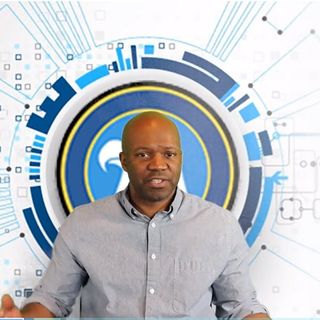
Meet your instructor
Taught by a GRC guy turned cloud security engineer
Hey guys, this is Bruce, in 2024 I started studying hard on cloud stuff. I decided to take the AWS Certified Cloud Practitioner. I created projects like this to help me really understand. As a result, I have been able to get more than one position as a cloud security engineer. Now I want to help you take the same journey.
This AWS Cloud Practitioner Project 1 is exactly the course I wish I’d had before my first cloud internship — focused, practical, and built around a single, impressive project you can confidently present to recruiters.
Simple student-friendly pricing
Own the AWS Cloud Practitioner Project 1 course forever.
One-time payment. Lifetime updates. Student discount already applied.
You have No Reason Not to START CLOUD!
If you feel the AWS Cloud Practitioner Project 1 isn’t the right fit within the first 14 days, email us and we’ll refund 100% of your payment. No forms, no quizzes, no hassle.
- 14-day money-back guarantee
- Keep any notes and study plans you created
- Switch to another CloudStarter course if you prefer
Is this course right for me if I have zero AWS or coding experience?
Yes. This AWS Cloud Practitioner Project 1 is designed specifically for students and beginners. We start with what the cloud is, why AWS exists, and how to use the console. You do not need prior AWS or programming experience — just basic computer literacy and curiosity.
Will this course alone be enough to pass the AWS Cloud Practitioner exam?
For most students, yes — if you complete all modules, build the project, and go through the included practice questions. We also provide a study schedule template. However, we still recommend reading the official AWS exam guide and whitepapers for extra depth, especially if this is your very first tech certification.
How much time should I expect to spend each week?
Most students finish the course and project in 4 weeks by spending 4–6 hours per week. If your semester is busy, you can move slower — you have lifetime access to all recordings, materials, and updates.
Do I need an AWS account? Will I be charged by AWS?
Yes, you will create your own AWS account (we walk you through it step by step). The project is designed to stay within the AWS Free Tier for typical student usage. We also show you how to set budget alerts and shut everything down safely when you are done.
Is there any live support if I get stuck?
Absolutely. You’ll get access to our private student Discord where you can ask questions, share screenshots, and get help from the instructor and community. Career Launch Bundle students also get a 1:1 portfolio review call.
Get AWS Cloud Practitioner-ready — and launch your first real cloud project.
2-week project • Beginner-friendly • 14-day money-back guarantee